
The design is stunning. The live page looks nothing like it.
Every designer and developer has lived this. The Figma file is clean, the spacing is perfect, the fonts are sharp. Then the site goes live and the headings are too big, the buttons are off, and the mobile view is a mess. The client notices. The designer blames the developer. The developer blames the file.
Figma to WordPress Training teaches you how to close that gap. You learn to read a Figma design properly, prepare assets, build the layout in WordPress with a page builder or theme, match spacing and typography, make it responsive, and launch it.
The best programmes make you convert real designs into live pages, so you finish with working skills instead of theory.
This matters because design and development are usually two separate skills. The person who can do both, or at least bridge them, is rare and useful.
If you’re a designer, a WordPress builder, a student, or a freelancer who wants to deliver websites that look exactly as designed, this guide covers what the training includes, how long it takes, and how to start.
What Is Figma to WordPress Training?
Think of a Figma file as an architect’s drawing. It shows what the building should look like. WordPress is the construction site where it actually gets built. A drawing is only useful if someone can build from it accurately.
Figma to WordPress Training is a structured programme where you learn to turn design files into live WordPress websites. You start with reading designs and understanding layout logic, move into building pages with tools like Elementor, and finish with responsive testing and launch.

A good programme usually covers:
- Reading Figma files: frames, layers, spacing, and styles
- Exporting images, icons, and fonts correctly
- Setting up WordPress, a theme, and a page builder
- Recreating layouts with accurate spacing and typography
- Responsive design for tablet and mobile
- Forms, plugins, and basic speed checks
- Launch, testing, and client handover
Most WordPress courses teach you to build from scratch. Most design courses stop at the Figma file. Figma to WordPress Training sits in the middle, where the real hand-off happens.
The good news? You don’t need to be a coder. You need a good eye, patience, and a clear process.
Why This Skill Pays Off
Ask any web design agency where projects get delayed. Many will say the same thing: the hand-off from design to development.
That’s the gap. Here’s why people choose this skill:
- It’s a bridge skill. Few people can read a design file and build it accurately.
- It saves time and money. Fewer revisions mean faster launches and happier clients.
- It opens more roles. Web designers, WordPress builders, and freelancers all benefit.
- It improves your own designs. When you know how pages are built, you design more realistically.
Picture a freelance designer who creates beautiful layouts but hands them to a developer. The result often drifts from the original. After learning to build the pages themselves, the same designer controls the final result and can charge for both design and build.
That’s the kind of shift Figma to WordPress Training prepares you for. To be clear, no course can promise income. What it can do is give you a skill that agencies and clients already need.
Want to see how accurate a Figma-to-live conversion can be? Ask for before-and-after examples before joining any Figma to WordPress Training programme.
What Does Figma to WordPress Training Cover?
Before paying for any course, ask one question: will I convert real design files into live pages, or only watch someone else do it?
A complete Figma to WordPress Training programme should cover these modules:
- Design reading: understanding frames, grids, spacing, colours, and text styles in Figma.
- Asset preparation: exporting images, icons, and SVGs in the right formats and sizes.
- WordPress setup: installing WordPress, choosing a lightweight theme, and configuring basics.
- Page builder skills: using Elementor or a similar tool to build sections and layouts.
- Typography and colour: setting global styles so the site matches the design system.
- Spacing and alignment: matching padding, margins, and widths accurately.
- Responsive building: adapting the layout for tablet and mobile, not just desktop.
- Functionality: forms, menus, sliders, and plugins that support the design.
- Testing and launch: cross-browser checks, speed basics, and a clean handover.
The responsive module is the one beginners underestimate. A design may include only a desktop and a mobile frame, but real users arrive on dozens of screen sizes. Good builders plan for that.
A strong programme also teaches you to compare your build against the design side by side. That habit catches small mistakes early.
Figma to WordPress Training at a Glance: Design Handoff, Build and Launch
Short on time? Here’s the quick view.
- Best for: web designers, WordPress beginners, students, freelancers, and agency juniors.
- Skills learned: design reading, asset export, page building, responsive layouts, global styles, testing, and launch.
- Tools used: Figma, WordPress, a page builder such as Elementor, and basic browser developer tools.
- Typical duration: around 4 to 8 weeks for beginners, depending on practice hours and prior WordPress experience.
- Prerequisites: basic computer skills; some WordPress or Figma familiarity helps but isn’t mandatory.
- Outcome: 2 to 4 designs converted into live pages for your portfolio.
When you compare any Figma to WordPress Training option, ask five things. Do you convert real designs? Is responsive building taught properly? Do you learn asset export and global styles? Do you get feedback on accuracy? Do you finish with live projects?
If two or more answers are no, keep looking.
How to Convert a Figma Design to WordPress?
To convert a Figma design to WordPress, study the design’s layout and styles, export the needed assets, set up WordPress with a theme and page builder, define global fonts and colours, build each section to match spacing and sizes, make it responsive, and test against the original design before launch.

Here’s the process in more detail:
- Review the design first. Look at every page and frame before building anything.
- Note the design system. Write down fonts, colours, button styles, and spacing rules.
- Export assets. Prepare images, icons, and logos in optimised formats.
- Set up WordPress. Install a lightweight theme and your page builder.
- Set global styles. Add colours and typography once, so every page stays consistent.
- Build section by section. Start with the header, then hero, then each content block.
- Match spacing carefully. Compare padding and margins with the design.
- Build responsive versions. Adjust tablet and mobile layouts deliberately.
- Test and compare. Put the live page next to the Figma frame and fix differences.
- Launch and handover. Connect the domain, check forms and speed, and share a simple guide.
Notice the order. You set global styles before building pages. Beginners often do the opposite, then spend hours fixing fonts one by one.
Some tools claim to convert Figma files to WordPress automatically. They can speed up rough drafts, but the output usually needs cleaning, so the manual skill still matters.
This is the exact workflow practised in Figma to WordPress Training, repeated until it feels natural.
Can I Learn Figma in 10 Days?
You can learn Figma’s basics in 10 days, such as frames, text, shapes, components, and simple layouts. You will not master design in that time. Good design takes practice with real projects, feedback, and an understanding of layout and users, not only tool knowledge.
Here’s what 10 days can realistically cover:
- Days 1 to 2: interface, frames, shapes, and text.
- Days 3 to 4: layout, spacing, and auto layout.
- Days 5 to 6: colours, typography, and styles.
- Days 7 to 8: components and simple design systems.
- Days 9 to 10: a small landing page design and basic prototyping.
That’s a strong start. But look at what’s missing: understanding users, visual hierarchy, responsive thinking, and getting feedback from real clients.
For this training, the good news is that you don’t need to be a design expert. You mainly need to read designs accurately. A few weeks of Figma basics plus guided building is enough to start.
Honestly, 10 days is a taste. Confidence comes from converting real designs and seeing where your builds differ.
Ready to practise on real design files? Choose Figma to WordPress Training that gives you actual Figma files to convert, not just demo screens.
What Does a Good Figma File Look Like for Developers?
Before you build, it helps to know what makes a design easy to convert. If you’re also a designer, this tells you how to prepare files for hand-off.
A clean file usually has:
- Named layers and frames. Not “Frame 482” everywhere.
- Consistent spacing. Based on a simple scale, like multiples of 8.
- Defined text and colour styles. So fonts and colours can be reused.
- Components for repeated items. Buttons, cards, and menus built once.
- Mobile and tablet frames. Not only a desktop view.
- Clearly marked assets. Easy-to-export icons and images.
When a design is messy, the build is messy. Part of Figma to WordPress Training is learning to spot problems early and ask the designer the right questions.
That skill saves projects. A quick question about a missing mobile frame costs five minutes. Guessing wrong can cost days.
Skills You Build in Figma to WordPress Training
Tools change. Skills are what you keep.
Design Reading Skills
You learn to look at a design and see the structure underneath: the grid, the spacing system, and the style rules. This is the foundation for accurate building.
Page Builder and WordPress Skills
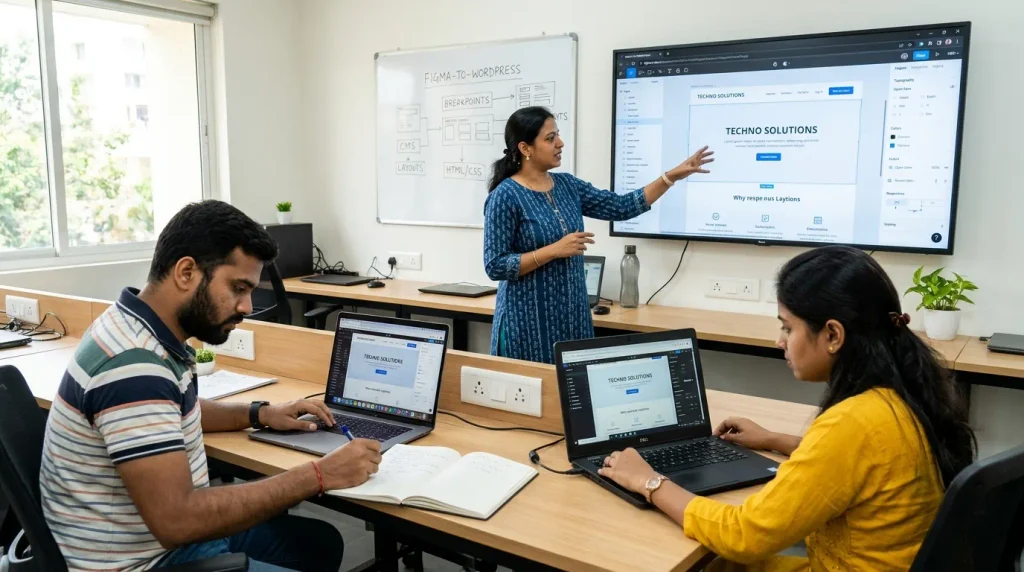
You learn to use Elementor or a similar tool to build layouts that match the design. You also learn when a page builder helps and when it slows a site down.
Responsive Design Skills
You adapt layouts across screen sizes without breaking the design. This is where many conversions fall apart, and where trained builders stand out.
Attention to Detail
Alignment, spacing, font weight, and image quality. Small differences add up, and clients notice them even when they can’t explain why something feels off.
Collaboration and Communication
You learn to ask designers clear questions, explain technical limits to clients, and document what you’ve built.
The best Figma to WordPress Training programmes blend all five, because accurate conversions need every one of them.
Where You Can Use These Skills
Skills matter only when they turn into work. Here’s where they do:
- Freelancing: convert designs for clients and offer design plus build packages.
- Agency roles: WordPress developer, front-end builder, or web production executive.
- Design teams: bridge the gap between designers and developers.
- Startups and small businesses: build landing pages quickly from approved designs.
- Redesign projects: rebuild old sites in WordPress with a modern look.
- Your own projects: design and launch your own site end to end.
Take a small clinic that approved a beautiful website design but has no developer. After Figma to WordPress Training, you can build the home page, service pages, and contact page exactly as designed, with forms and mobile layouts included.
Common Mistakes Beginners Make
Most beginners don’t fail because WordPress is hard. They fail because of these habits:
- Building before studying. Rushing in without reviewing the whole design causes rework.
- Skipping global styles. Setting fonts and colours page by page is slow and inconsistent.
- Eyeballing spacing. Guessing instead of measuring leads to drift from the design.
- Ignoring mobile. A page that looks perfect on desktop but breaks on phones fails most visitors.
- Using heavy images. Unoptimised files slow the site and hurt user experience.
- Overloading plugins. Too many plugins cause conflicts and speed problems.
- Never comparing side by side. Without comparison, small errors go unnoticed.
- Choosing theory-only learning. Figma to WordPress Training without real conversions leaves you with knowledge but no portfolio.
Fix these early and you’ll be ahead of most people starting out.
Step-by-Step Roadmap to Start Figma to WordPress Training
Here’s a simple path. No fluff.
- Pick your goal. Freelancing, an agency job, or building your own sites.
- Learn Figma basics. Frames, text, spacing, and auto layout. A few weeks is enough to read designs well.
- Learn WordPress basics. Pages, menus, media, and themes.
- Learn one page builder. Master it before trying alternatives.
- Convert a simple one-page design. Start small and compare it with the original.
- Build responsive versions. Test on a real phone, not only a browser window.
- Get feedback. Digital Chaabi Academy runs guided conversion projects where learners build real designs into live pages with mentor review, which speeds up improvement. Whichever route you take, don’t work in isolation.
- Build 3 full projects. Turn them into a portfolio with before-and-after comparisons.
Follow the order. Accuracy beats speed.
Future Scope
Web design tools are getting smarter. AI can generate layouts, export code, and even convert screens into rough pages. That sounds like a threat, but it changes the job rather than ending it.
Generated output often needs cleaning: inconsistent spacing, heavy code, weak responsive behaviour, and missing accessibility. Someone has to review, fix, and maintain it.
The people who’ll do well are those who understand design and the build deeply enough to judge what a tool produced. Stack this skill with SEO, conversion tracking, or brand identity and you can deliver a complete website that looks right and performs well. Figma to WordPress Training is a strong base for building those extra skills.
FAQs
Q: Is WordPress outdated in 2026?
A: No. WordPress is still widely used, and businesses still need people who can build and maintain sites on it. AI builders and new tools are changing the work, but clients still value control, flexibility, and ownership. Figma to WordPress Training remains relevant when it teaches accurate building and judgment.
Q: Can I learn WordPress in 3 days?
A: You can learn the basics in 3 days, such as installing WordPress, choosing a theme, and publishing a simple page. You cannot become job-ready in that time. Converting designs accurately, building responsive layouts, and handling client projects takes weeks of practice and feedback.
Q: Do I need to know coding for Figma to WordPress Training?
A: Not to begin. Page builders let you build visually without writing code. A little HTML and CSS helps with fine-tuning and fixing small issues, but many accurate conversions can be completed with a visual builder and careful attention to spacing and styles.
Q: How long does Figma to WordPress Training take?
A: Most beginners need around 4 to 8 weeks with regular practice. The exact time depends on your starting level and how many designs you convert. Rushing through tools without finishing real conversions leaves gaps, so focus on completed, tested pages.
Q: Do I need to be a designer to learn this?
A: No. You need to read designs accurately, not create them from scratch. Basic Figma knowledge helps you inspect spacing, fonts, and assets. Many builders succeed by being precise and organised, even if they never design full websites themselves.
Q: Can I earn after completing Figma to WordPress Training?
A: Many people use this skill for freelancing, agency roles, or building sites for their own projects. Results depend on your portfolio, how you pitch, and consistency. There are no guarantees, but live conversions with side-by-side comparisons give you a real advantage with clients.
Conclusion
A great design isn’t finished until it’s live and still looks great. That final step is where many projects quietly lose quality.
The path is simple. Read the design carefully, set up your styles, build section by section, test across devices, and compare against the original. That’s what separates people who “know WordPress” from people who get hired to deliver exactly what was designed.
If you want that outcome, choose Figma to WordPress Training that makes you convert, test, and launch real designs. Skip the one that only shows tool tours.
Ready to Turn Website Designs into Live, Pixel-Accurate Pages?
If you’re serious about delivering websites that match the design instead of drifting from it, Figma to WordPress Training at Digital Chaabi Academy lets you convert real Figma designs into live WordPress pages with mentor feedback and a portfolio you can show to clients. Start your next batch and learn to build exactly what was designed.