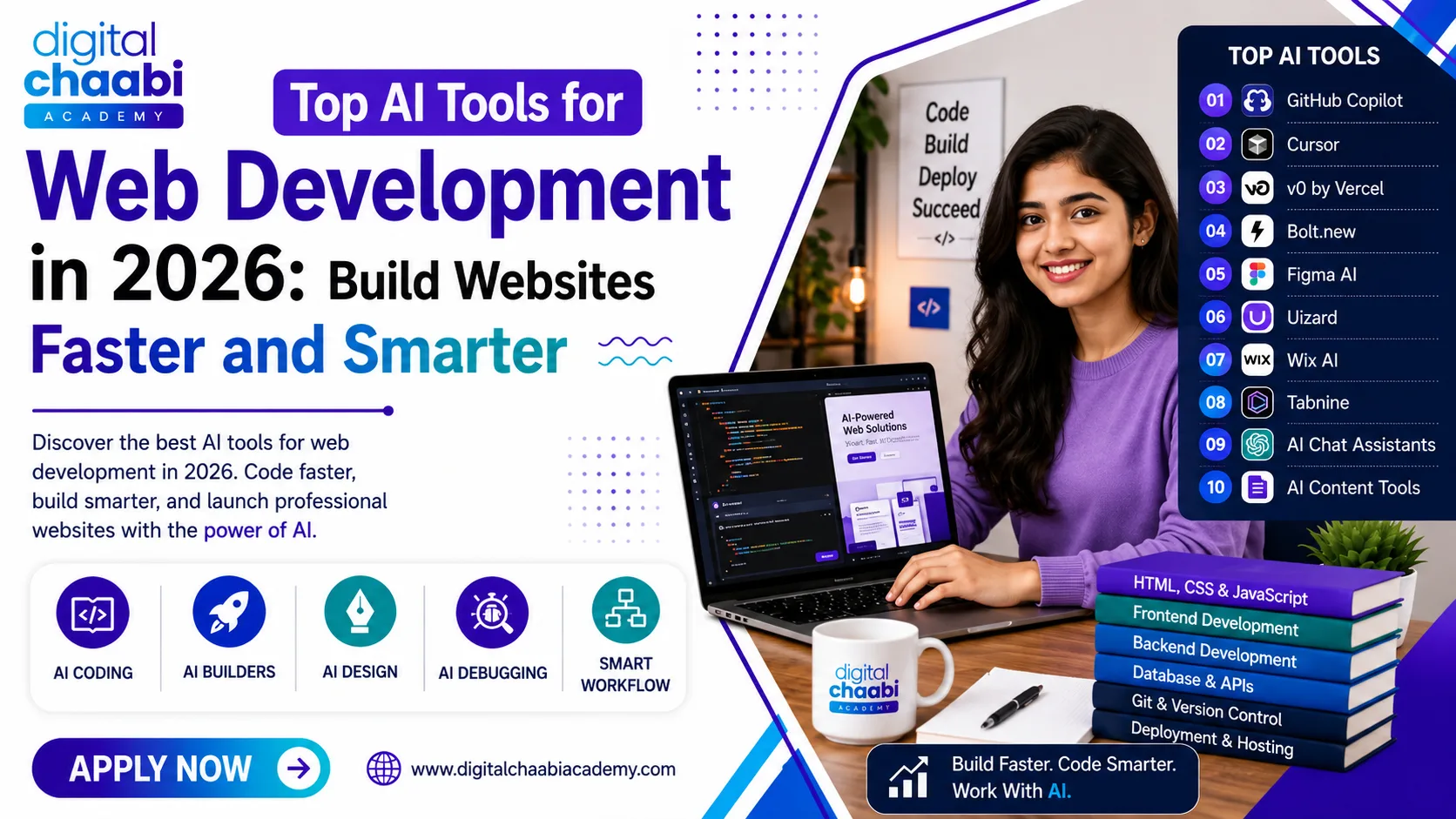

AI has become an important part of modern web development. In 2026, AI tools for web development can help developers write code, build prototypes, generate interfaces, debug problems, and complete repetitive tasks faster. Popular tools such as GitHub Copilot, Cursor, v0, Bolt.new, Figma AI, and AI website builders are changing the way websites and web applications are created. But does this mean you no longer need to learn web development? Not really.
A common question we hear at Digital Chaabi Academy is: “Sir, ab toh AI khud website bana deta hai, humein web development seekhne ki zaroorat kya hai?” It is a fair question.
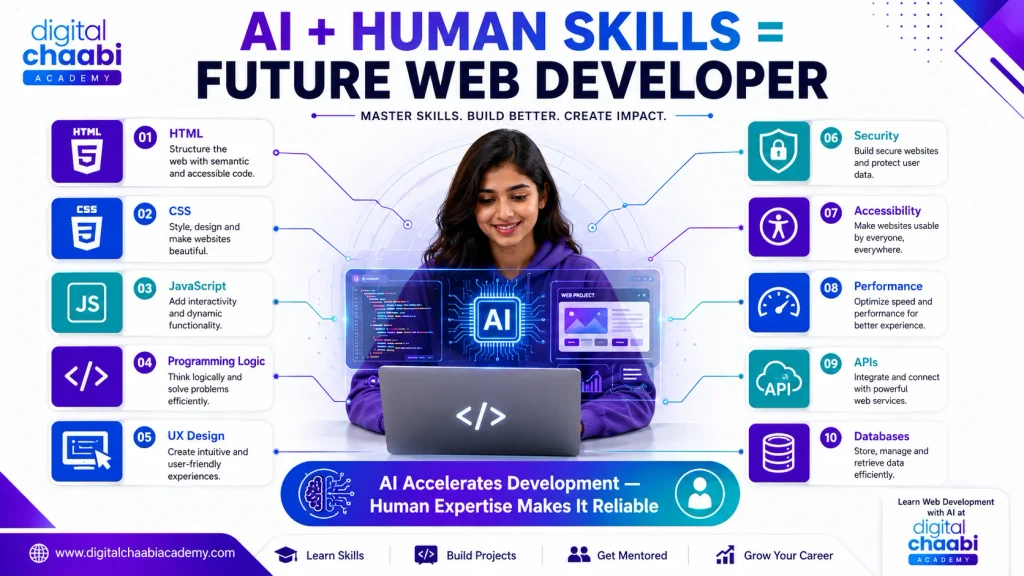
AI can generate code and create impressive website prototypes, but developers still need to understand what they are building. Knowledge of HTML, CSS, JavaScript, programming logic, databases, APIs, security, performance, and user experience helps developers evaluate, customize, test, and improve AI-generated solutions. The real advantage in 2026 is not AI instead of development skills. It is: Web Development Skills + AI Tools = Faster and Smarter Development
In this guide, we will explore the best AI tools for web development, what each tool does, which tools are suitable for different workflows, how beginners can use them effectively, common mistakes to avoid, and the future of AI-assisted web development.
What AI Tools for Web Development Actually Do
The term AI tools for web development covers several different categories of software. Not every AI tool performs the same job. Understanding these categories makes it easier to choose the right tool for your workflow.
1. AI Coding Assistants
An AI Tool for Web Development can work alongside developers while they write, understand, test, and improve code. AI coding assistants are designed to reduce repetitive work and help developers complete common programming tasks more efficiently.
These tools can assist with:
- Code completion: AI tools for web development can suggest code while you are writing functions, variables, and components.
- Boilerplate code: Use AI tools for web development to generate repetitive code structures that are commonly used in web projects.
- Code explanations: Explain unfamiliar code and help beginners understand how different parts of an application work.
- Debugging assistance: AI tools for web development can analyze errors and suggest possible causes or solutions.
- Refactoring: AI tools for web development can help improve the structure and readability of existing code.
- Documentation: Create initial documentation, comments, and technical explanations.
- Generating functions and components: AI tools for web development can produce starting points for reusable functions, UI components, and other development tasks.
- Understanding existing code: AI tools for web development can summarize code and explain how different files, functions, or components work together.
For beginners, an AI Tool for Web Development should be treated as a development assistant rather than a replacement for programming knowledge. Always review, test, and understand AI-generated code before using it in a real project.
Learning how to evaluate AI tools for web development suggestions is just as important as learning how to generate them. This approach helps developers improve productivity while maintaining control over code quality, security, performance, and maintainability.
2. AI Agent and Development Tools
Some AI development tools can assist with more complex, multi-step tasks across a project. Depending on the platform, they can help with:
- Working across multiple files
- Refactoring code
- Creating features
- Understanding project context
- Generating implementation suggestions
- Automating repetitive development tasks
These tools can save time, but developers should still review and test their output.
3. AI Website and Application Builders
An AI Tool for Web Development can generate webpages and applications from natural-language descriptions, making it easier for beginners and developers to create initial designs and prototypes quickly. These AI tools for web development can reduce the time required to create a basic project structure and allow developers to experiment with different ideas before investing significant development time.
AI website and application builders can help with:
- Website layouts: Generate initial page structures and responsive layout ideas.
- UI components: Create buttons, forms, navigation menus, cards, and other interface elements.
- Application prototypes: Turn an idea or text description into a functional prototype.
- Initial project structures: Generate basic files and project organization to provide a starting point.
- Basic functionality: Add simple interactions and features based on natural-language instructions.
- Rapid experimentation: Quickly test different website concepts and application ideas.
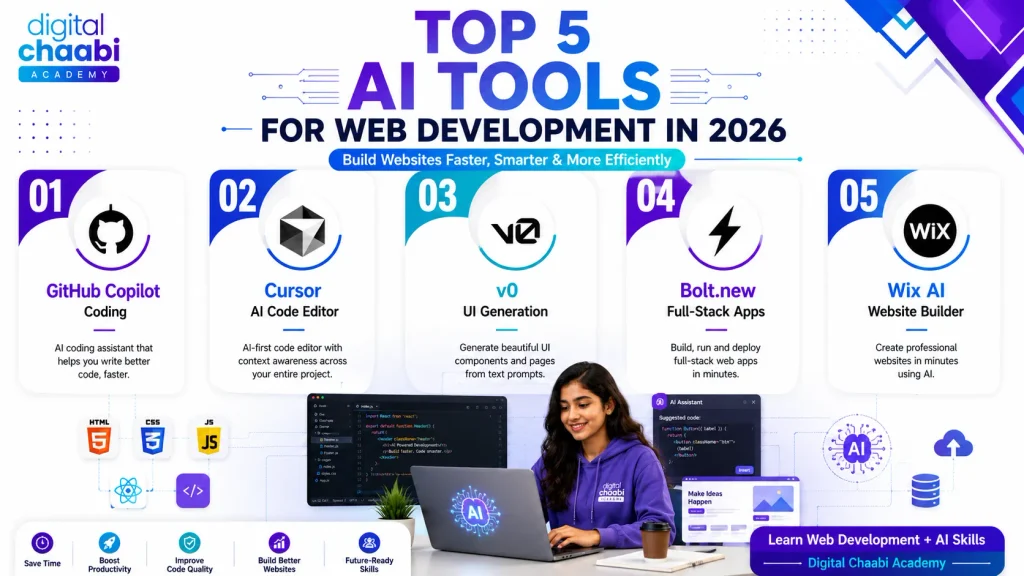
Popular examples include v0 and Bolt.new, which can help developers transform prompts into initial website or application concepts.
However, an AI Tool for Web Development does not remove the need for technical knowledge. Complex production projects may still require developers to handle customization, testing, security, performance optimization, accessibility, API integration, databases, and business-specific functionality.
Beginners should therefore use AI builders as a starting point rather than treating generated applications as production-ready solutions. Reviewing, testing, and improving the generated output is essential for building reliable and maintainable web projects.
What Is the Most Powerful AI Tool in 2026?
There is no single most powerful AI tool in 2026 for every web development task. The best tool depends on what you want to accomplish.
For Daily Coding
Tools such as GitHub Copilot and Cursor can help developers write and modify code more efficiently.
For Rapid Prototyping
Tools such as v0 and Bolt.new can help turn natural-language ideas into working prototypes.
For Problem-Solving
Conversational AI assistants can help developers:
- Understand programming concepts
- Explain errors
- Brainstorm solutions
- Review approaches
- Generate documentation
- Explore technical ideas
Therefore, instead of asking which AI tool is universally the most powerful, a better question is:
Which AI tool is best for the task I need to complete?
Best AI Coding Assistants for Web Development
AI coding assistants are among the most useful AI tools for web development because they integrate directly into the development process.
GitHub Copilot
GitHub Copilot provides AI-powered coding assistance and can help developers generate code suggestions, understand code, and improve their development workflow. It can assist with:
- Code completion
- Boilerplate generation
- Function creation
- Code explanations
- Documentation
- Development tasks
However, developers should review generated code before using it in a project.
Cursor
Cursor is an AI-focused code editor based on the VS Code ecosystem. Its project-level context can make it useful when developers are working with larger codebases and want AI assistance across multiple files. It can help with:
- Code generation
- Refactoring
- Debugging
- Understanding existing code
- Project-level development tasks
Tabnine
Tabnine focuses on AI-assisted coding and code completion, with options aimed at teams with specific privacy and enterprise requirements. It can be useful for developers who want AI-powered assistance while maintaining greater control over their development environment.
Which AI Coding Assistant Should You Choose?
There is no universal winner. Your choice should depend on:
- Programming language
- Code editor
- Project size
- Team requirements
- Privacy requirements
- Budget
- Desired AI capabilities
The important skill is not simply knowing one AI tool. It is knowing how to use AI responsibly within your web development workflow.
Best Full-Stack AI Builder Tools
AI tools for web development, such as full-stack AI builders, take a different approach from traditional coding assistants. Instead of simply suggesting code as you type, they can generate larger portions of an application from natural-language instructions.
v0 by Vercel
v0 is designed to generate interfaces and application experiences from prompts. It can be useful for:
- UI prototypes
- Landing pages
- React-based interfaces
- Component ideas
- Rapid experimentation
It is particularly useful when you want to quickly move from an idea to an initial interface.
Bolt.new
Bolt.new is an AI Tools for Web Development that helps users create web applications from natural-language prompts. It is useful for:
- Rapid prototypes
- Frontend development
- Project scaffolding
- UI concepts
- Quick experimentation
However, AI-generated applications should be reviewed before production use. Developers should check security, performance, architecture, accessibility, error handling, business logic, and code quality.
Use Bolt.new to speed up development, but keep human review and testing at the center of the process.
Which AI Tool Is Best for Building Website
The best AI Tools for Web Development depends on your technical experience, website type, project requirements, and level of customization needed. There is no single tool that is ideal for every website project.
For Developers
If you already understand web development, AI tools for web development, including coding assistants such as Cursor or GitHub Copilot, can be useful. They allow you to remain in control of the code while AI helps accelerate coding, debugging, refactoring, and other repetitive tasks.
For Beginners
AI tools for web development, including AI website builders, can provide a faster way to create simple websites without extensive coding knowledge. However, beginners should avoid becoming completely dependent on generated output.
Learning web development fundamentals helps you understand:
- Why a website works
- How layouts are created
- How responsive design works
- How JavaScript adds functionality
- How websites communicate with servers
- How databases store information
- How to identify and fix problems
For Rapid Prototyping
Tools such as v0 and Bolt.new can be useful when the goal is to test an idea quickly, create an interface, or build an initial application prototype.
Ultimately, the best AI Tools for Web Development is the one that matches your project requirements, technical skills, workflow, and desired level of control.
Choose the tool based on the project, not simply because it is popular.
What Is the Best AI Website Builder in 2026?
There is no single AI website builder that is perfect for every user. AI tools for web development, including AI website builders, are useful when you want to create a basic website quickly through natural-language or guided inputs. They can help generate:
- Page structures
- Website layouts
- Content suggestions
- Basic sections
- Visual designs
- Initial website concepts
They can be particularly useful for:
- Small business websites
- Personal websites
- Landing pages
- Portfolio websites
- Testing business ideas
- Creating a basic online presence
However, complex projects may require traditional development. For example, a highly customized web application may need:
- Custom backend logic
- Database architecture
- Authentication
- Payment integrations
- Advanced APIs
- Security controls
- Performance optimization
- Scalability
In such situations, an AI builder can be a starting point rather than the complete solution.
Which AI Is Best for Web Development?
There is no single best AI for web development. A modern workflow can combine several types of AI tools. A practical setup might include:
- AI coding assistant: for writing and modifying code
- Conversational AI: for explanations, debugging, and problem-solving
- AI builder: for rapid prototypes
- AI design tool: for early UI concepts
- AI content tool: for placeholder copy and content structure
This approach allows developers to use the right tool for the right task instead of expecting one platform to handle everything.
Digital Chaabi Academy’s Approach to AI-Assisted Web Development
At Digital Chaabi Academy, we believe students should learn how to use AI without becoming dependent on it. AI tools for web development are becoming part of modern development workflows, so completely avoiding them would not prepare learners for today’s changing development environment. At the same time, students need strong fundamentals to understand, evaluate, and improve AI-generated solutions. Our recommended learning approach is:
HTML → CSS → JavaScript → Development Fundamentals → Projects → AI-Assisted Development
Students first learn how websites and programming logic work. Once they understand the fundamentals, AI tools for web development can help improve productivity. For example, a student who understands JavaScript can use AI to explain an error and then verify whether the suggested solution actually makes sense.
Someone who does not understand JavaScript may simply copy the response without knowing whether it is correct. That difference is extremely important.
Best AI Tools for Web Design and Prototyping
AI is also changing the design stage of web development.
Figma AI Features
AI-powered features in design platforms can help designers and developers explore layouts, generate design ideas, and speed up parts of the design workflow.
Uizard
Uizard can help turn ideas, descriptions, or rough concepts into UI designs and prototypes.
This can be useful during the early stages of a project.
AI Content Tools
AI writing tools can help generate:
- Placeholder content
- Headline ideas
- Product descriptions
- Content structures
- Microcopy
However, generated content should be reviewed and customized rather than published blindly.
How to Use AI Tools Without Losing Core Skills
Using AI effectively requires balance.
1. Learn the Fundamentals First
Understand HTML, CSS, JavaScript, programming logic, databases, APIs, and other relevant development concepts. The stronger your fundamentals, the better you can evaluate AI-generated code.
2. Review AI-Generated Code
Never assume that generated code is automatically correct. Check:
- Logic
- Syntax
- Security
- Performance
- Accessibility
- Maintainability
3. Use AI for Repetitive Work
AI is particularly useful for tasks such as:
- Boilerplate code
- Documentation drafts
- Code explanations
- Repetitive transformations
- Initial ideas
This allows developers to spend more time on higher-value problems.
4. Test Everything
AI-generated code should be tested before being used in a real project. Testing helps identify:
- Bugs
- Incorrect assumptions
- Security issues
- Performance problems
- Unexpected behavior
5. Practice Without AI Sometimes
Developers should still practice solving problems independently. This helps maintain:
- Logical thinking
- Debugging skills
- Programming fundamentals
- Problem-solving ability
AI tools for web development should increase your capabilities, not replace your understanding or problem-solving skills.
Common Mistakes When Using AI Tools
1. Accepting Code Without Understanding It
Copying AI-generated code without understanding it can create problems later. If something breaks, you may not know how to diagnose or fix it.
2. Skipping Security Reviews
AI-generated code can contain security weaknesses or inappropriate implementation choices. Always review authentication, data handling, user input, permissions, and other security-sensitive areas.
3. Depending Entirely on AI Builders
AI builders can be excellent for prototypes and simple websites, but complex applications often require deeper development knowledge.
4. Avoiding AI Completely
AI tools are becoming increasingly relevant to modern development workflows. Learning how to use them responsibly can be a useful professional skill.
5. Using the Wrong Tool for the Task
A coding assistant, AI builder, design tool, and conversational AI solve different problems. Choosing the wrong category can make the development process slower rather than faster.
6. Treating AI Output as the Final Product
AI should generally be considered a development assistant rather than an automatic quality guarantee. Human review remains important.
How to Choose the Right AI Tools for Web Development
| Your Need | Recommended Tool Type | Examples |
|---|---|---|
| Daily coding | AI coding assistant | GitHub Copilot, Cursor |
| Code explanation | Conversational AI | AI chat assistants |
| Rapid prototyping | AI builder | v0, Bolt.new |
| Basic website creation | AI website builder | Wix AI tools |
| UI prototyping | AI design tool | Figma AI, Uizard |
| Repetitive development tasks | AI coding assistant | GitHub Copilot, Cursor |
| Learning and debugging | Conversational AI | AI chat assistants |
The best workflow often combines multiple tools.
Instead of asking “Which AI tool should I use?”, ask:
“What problem am I trying to solve?”
That question makes tool selection much easier.
Future of AI in Web Development
AI is likely to become even more deeply integrated into web development workflows. Future AI development tools may increasingly assist with:
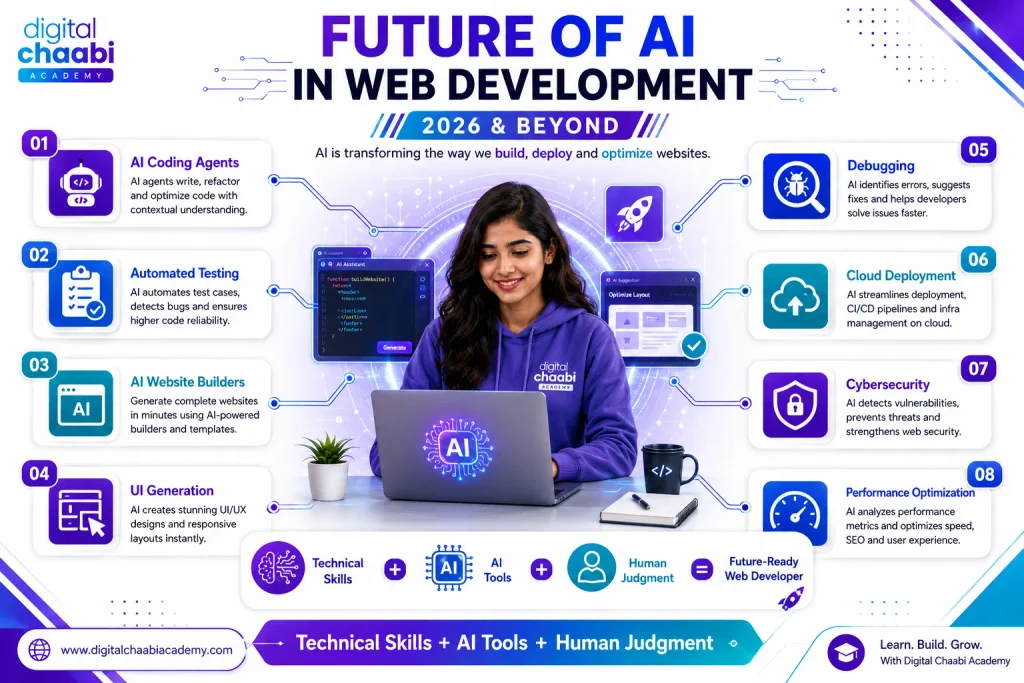
- Code generation
- Testing
- Debugging
- Refactoring
- Documentation
- Deployment workflows
- UI generation
- Application maintenance
However, technical decision-making will continue to require human judgment. Developers still need to understand:
- Business requirements
- Application architecture
- Security
- Performance
- User experience
- Scalability
- Accessibility
- Technical trade-offs
The future is therefore unlikely to be simply AI versus developers. A more realistic model is:
Developers using AI vs. developers not using AI.
Developers who learn how to combine strong fundamentals with AI-assisted workflows can adapt more effectively as development practices continue to evolve.
Frequently Asked Questions
What are the best AI tools for web development in 2026?
Some popular categories include AI coding assistants such as GitHub Copilot and Cursor, application-building tools such as v0 and Bolt.new, AI website builders, and AI design tools such as Figma AI and Uizard.
What is the most powerful AI tool in 2026?
There is no single AI web tool that is the most powerful for every task. Different AI tools for web development are designed for coding assistance, application generation, design, problem-solving, and other workflows.
Which AI tool is best for building websites?
It depends on your requirements. Developers may prefer coding assistants such as Cursor or GitHub Copilot, while beginners may find AI website builders easier for creating simple websites.
What is the best AI website builder in 2026?
The best option depends on your technical requirements, customization needs, budget, and project complexity. AI tools for web development, including AI website builders, are particularly useful for basic websites and creating a rapid online presence.
Which AI is best for web development?
There is no universal winner. A combination of coding assistants, conversational AI, AI builders, and design tools can create a more effective development workflow.
Do AI tools replace the need to learn web development?
No. AI tools for web development can speed up development, but understanding HTML, CSS, JavaScript, programming logic, architecture, security, and other fundamentals helps developers evaluate and improve AI-generated solutions.
Can AI build a complete website?
AI tools for web development can generate substantial portions of websites and applications, particularly prototypes and simpler projects. More complex websites often require human development, testing, customization, security reviews, and ongoing maintenance.
Is AI-generated code safe to use directly?
Not always. AI-generated code should be reviewed and tested because it can contain bugs, security weaknesses, inefficient approaches, or assumptions that do not match project requirements.
Should beginners use AI tools to learn web development?
Yes, but strategically. Beginners should learn the fundamentals first and then use AI tools for web development for explanations, debugging assistance, practice, and productivity rather than copying generated code without understanding it.
Conclusion
AI tools for web development in 2026 have changed how developers create websites and applications. Coding assistants can speed up development. AI builders can accelerate prototyping. Design tools can reduce the time needed to create initial concepts. Conversational AI can help developers understand problems and explore solutions. But none of these tools removes the importance of understanding what you are building. The strongest approach is to learn the fundamentals first and then use AI as a productivity multiplier. Think of it this way:
Strong Web Development Skills + AI Tools + Critical Thinking = Future-Ready Developer
Instead of asking whether AI will replace web developers, the better question is:
How can you become a web developer who knows how to use AI effectively?
That is the skillset worth building in 2026.
Pro Tip: If you are looking to master practical marketing skills through real client ad campaigns and in-house agency internships, explore the best digital marketing institute in Hisar at Digital Chaabi Academy.
Learn AI-Assisted Web Development with Digital Chaabi Academy
If you want to learn web development while also understanding how modern AI tools can improve your workflow, Digital Chaabi Academy combines core web development fundamentals with practical AI-assisted development.
The focus is not simply on generating code with AI. It is on learning how to understand, build, test, improve, and deploy websites and applications while using AI responsibly. Learn the fundamentals. Use AI intelligently. Build real projects. Prepare for the future of web development.
Join Classroom & Hybrid Website Development Training Across Haryana:
Master practical, agency-tested skills under direct mentor supervision. Explore classroom cohorts near you: