Web design training can help beginners turn scattered knowledge into practical, job-ready skills through structured learning, mentorship, real projects and portfolio development. Learning web design independently is certainly possible. There are thousands of tutorials, free resources and design tools available online. But having access to information and knowing how to use that information effectively are two different things. Many beginners spend months watching tutorials, experimenting with different tools and collecting knowledge without completing a real website project. That’s where a professional web design training program can make a difference. A structured program gives you a defined learning path, expert feedback, practical assignments and opportunities to build projects that can eventually become part of your portfolio. In this guide, we’ll explore the major benefits of professional web design training, compare structured learning with self-teaching, explain the importance of mentorship and projects, discuss career opportunities, and show you how to choose the right training program.
What Does a Web Design Training Program Offer?
Before looking at the benefits, it’s important to understand what separates professional training from a random collection of online tutorials. A good web design training program generally provides:
- A structured curriculum
- Logical progression from beginner to advanced concepts
- Hands-on project work
- Instructor or mentor guidance
- Personalized feedback
- Portfolio development
- Career or freelancing guidance
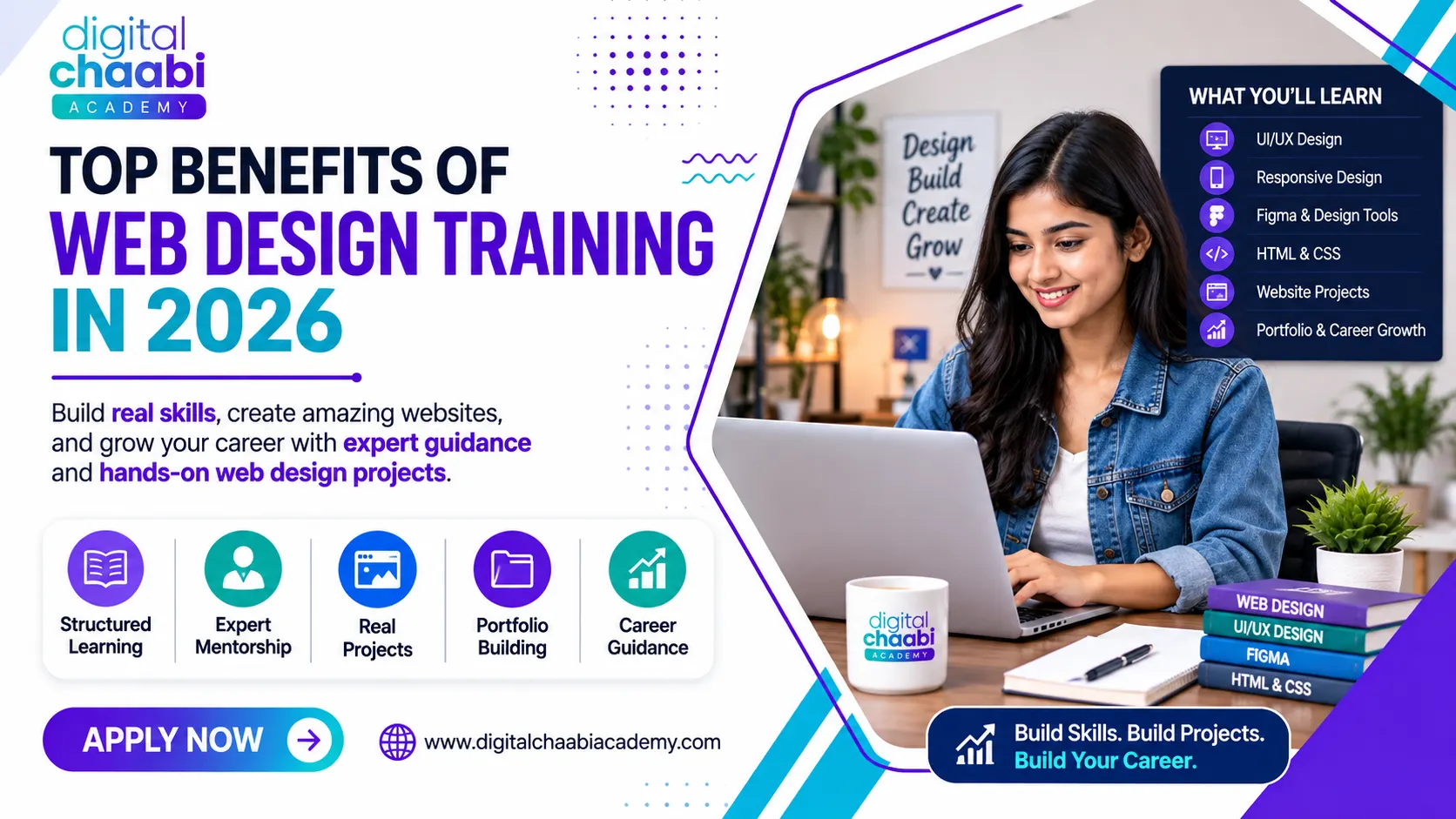
The exact curriculum can vary between training providers. However, the biggest advantage of structured web design training is that you don’t have to decide what to learn next every time you finish a lesson. Instead, the learning process follows a planned sequence. For example, a beginner might progress from: Design fundamentals → HTML/CSS → UI design → Responsive design → Projects → Portfolio This can make the learning process easier to manage and reduce unnecessary trial and error.
What Are the Benefits of Taking a Web Design Course?
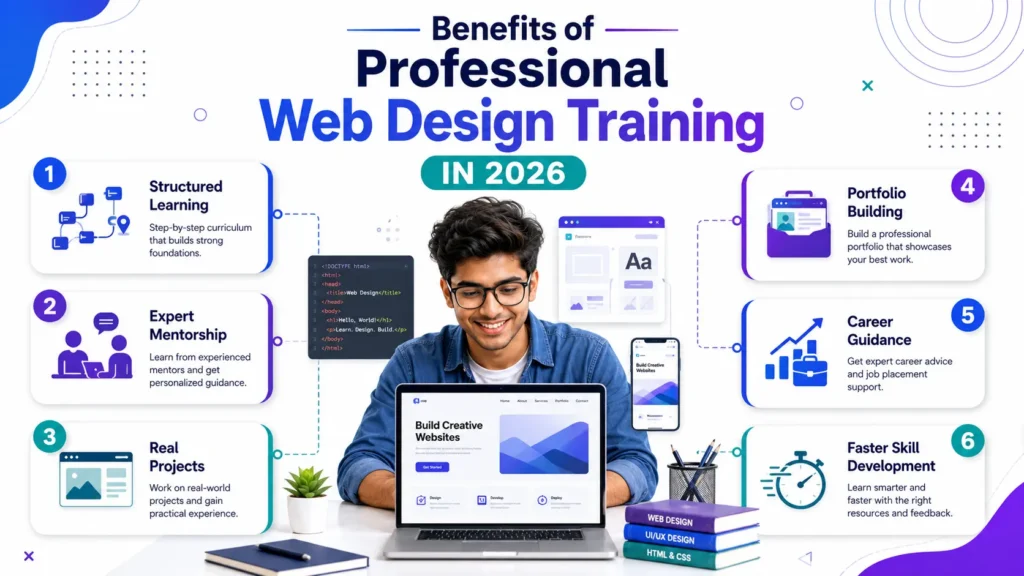
The main benefits of web design training include structured learning, expert guidance, practical project experience, portfolio development and clearer career direction. Let’s look at each benefit in more detail.
1. Structured Learning
One of the biggest problems with self-learning is deciding what to learn first. A structured course organizes topics into a logical sequence. Instead of randomly jumping between:
- Figma
- HTML
- CSS
- WordPress
- JavaScript
- UI design
you can learn each skill when it becomes relevant to the next stage. This can make learning easier and more focused.
2. Faster Skill Development
Professional guidance through web design training can reduce the amount of time spent searching for answers or repeating the same mistakes. A trainer who understands common beginner problems can explain concepts, demonstrate practical solutions, and help you move forward. However, training doesn’t guarantee a particular learning speed. Your progress still depends on practice, consistency, and project work.
3. Practical Project Experience
Watching a tutorial is different from completing a website. Good web design training should provide opportunities to work on practical projects. Projects teach you how to apply concepts such as:
- Layout
- Typography
- Color
- Responsive design
- Navigation
- User experience
- HTML/CSS
- Website structure
4. Expert Feedback
Beginners often struggle to evaluate their own work. A design may look acceptable to you while having problems with spacing, hierarchy, navigation or responsiveness. A mentor can identify these problems and explain how to improve them.
5. Portfolio Development
A certificate shows that you completed a course. A portfolio demonstrates what you can actually create. Professional training can help you build several projects that can eventually be presented to potential employers or clients.
6. Career Direction
A structured course can also help you understand different career paths, including:
- Web designer
- UI designer
- UI/UX designer
- WordPress designer
- Freelance web designer
- Agency designer
Understanding these options can help you decide which skills to develop further.
Structured Learning vs Self-Teaching
Both self-learning and professional training can work. The better option depends on your learning style, available time, budget and need for guidance.
| Factor | Self-Teaching | Professional Training |
|---|---|---|
| Learning order | Often self-directed | Structured curriculum |
| Feedback | Usually limited | Mentor/instructor feedback |
| Accountability | Self-managed | Program-based |
| Projects | Depends on learner | Usually guided |
| Flexibility | Very high | Depends on schedule |
| Cost | Usually lower | Requires investment |
| Support | Online communities/resources | Trainer or mentor |
| Career guidance | Must find independently | May be included |
Self-teaching can be an excellent option for disciplined learners who enjoy experimenting and researching solutions independently. Professional web design training can be especially useful for beginners who want structure, accountability, feedback, and guided projects. The important point is that a course isn’t automatically better simply because you pay for it. The quality of the curriculum and learning experience matters.
What Are the 7 C’s of Website Design?
The 7 C’s of website design are Context, Content, Community, Customization, Communication, Connection and Commerce. This framework can help designers think about a website beyond its visual appearance.
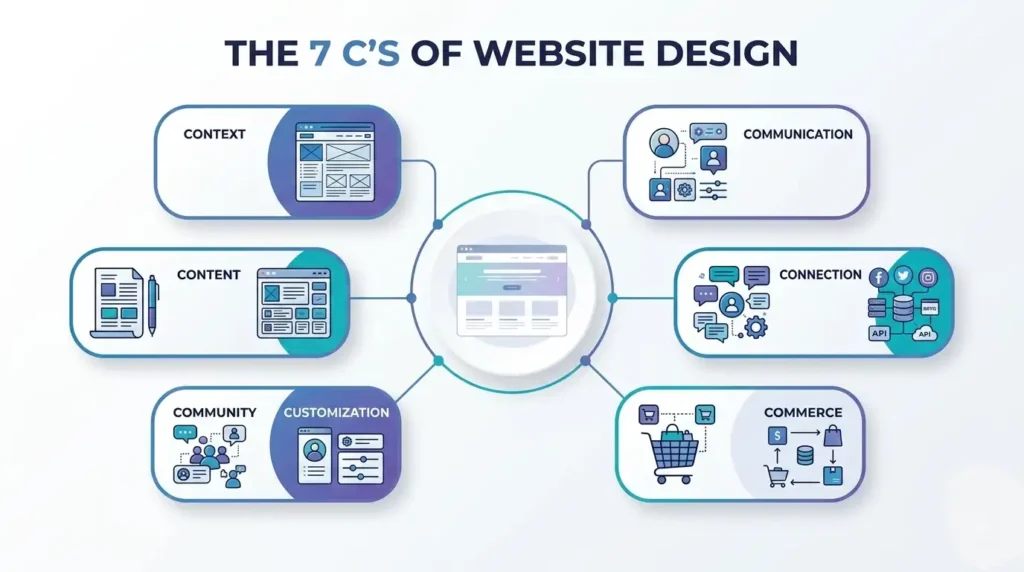
1. Context
Context refers to the website’s overall layout, visual presentation and organization. A clear layout helps visitors understand the website quickly.
2. Content
Content includes the information presented to users, such as:
- Text
- Images
- Videos
- Product information
- Guides
Good content should support the website’s purpose.
3. Community
Community refers to features that allow visitors to interact with one another or contribute to the website. Examples can include:
- Reviews
- Comments
- Discussion areas
4. Customization
Customization involves adapting parts of the experience to different users or preferences.
5. Communication
Communication covers the ways a website communicates with visitors. Examples include:
- Contact forms
- Notifications
- Chat
- Email communication
6. Connection
Connection refers to relationships between the website and external platforms or services.
7. Commerce
Commerce applies when a website supports transactions, such as an e-commerce store or online service. Understanding frameworks such as these can help web designers think about purpose and user experience, rather than focusing only on colors and visual effects.
Why Mentorship and Feedback Matter
Mentorship is one of the most valuable parts of professional web design training. When you’re learning alone, you’re often responsible for identifying your own mistakes. That’s difficult when you’re still developing your design judgment. A mentor can provide:
- Specific feedback
- Design corrections
- Technical guidance
- Project suggestions
- Answers to difficult questions
- Industry-oriented advice
For example, you might create a landing page that looks visually attractive but has poor information hierarchy. A mentor can point out: “The design looks good, but the visitor doesn’t immediately understand what action they should take.” That kind of feedback teaches you how to think about design rather than simply how to use a tool.
Feedback Creates a Learning Loop
A useful learning cycle is: Learn → Build → Get Feedback → Improve → Rebuild This process is often more valuable than simply watching additional tutorials.
What Are the Benefits of Becoming a Web Designer?
A career in web design can offer a combination of creative work, technical skills and flexible career options.
Flexible Career Paths
Web designers can work in different environments, including:
- Companies
- Digital agencies
- Startups
- Freelance businesses
- Remote teams
Freelancing Opportunities
Web design skills can also be used to work with clients independently. Freelancers may create:
- Business websites
- Landing pages
- Portfolio websites
- E-commerce designs
- WordPress websites
- Website redesigns
Cross-Industry Demand
Websites are used across industries such as:
- Education
- E-commerce
- Healthcare
- Hospitality
- Finance
- Real estate
- Professional services
This means web design skills can be applied to many types of businesses.
Opportunity to Specialize
After learning the fundamentals, you can specialize in areas such as:
- UI design
- UX design
- WordPress
- E-commerce
- Landing-page design
- Conversion-focused design
- Responsive web design
You can also combine web design with other skills such as digital marketing, SEO, branding or content creation.
Why Real Projects and Portfolio Development Matter
One of the strongest benefits of professional training is the opportunity to complete realistic projects. Employers and clients generally want evidence of your ability. A portfolio can demonstrate:
- Your design thinking
- Visual skills
- Website layouts
- Responsive design ability
- Problem-solving approach
- Project experience
What Should a Beginner’s Portfolio Include?
A beginner can start with three to five strong projects rather than trying to include everything they’ve ever created. For example:
- Personal portfolio website
- Small-business website
- Landing page
- E-commerce
- Service-based business website
Each project should explain the purpose and show the final design clearly. The goal isn’t to have the biggest portfolio. The goal is to have a relevant and well-presented portfolio.
Digital Chaabi Academy’s Approach
At Digital Chaabi Academy, the focus of web design training is on helping students move from individual tool knowledge toward practical website creation. Many beginners have already watched tutorials before joining structured web design training. They may know some Figma, HTML, CSS, or website-building concepts but struggle to connect those skills into a complete project. A structured approach can help bring those pieces together through:
- Practical learning
- Project-based training
- Design fundamentals
- Responsive design
- Mentorship
- Feedback
- Portfolio development
- Exposure to real-world website requirements
The goal isn’t simply to complete lessons. The goal is to help learners develop skills they can demonstrate through actual projects.
Is Web Design Still in Demand in 2026?
Yes, web design training remains relevant in 2026. Businesses continue to need websites that are:
- Mobile-friendly
- Fast
- Easy to navigate
- Visually consistent
- Accessible
- User-focused
- Designed around business goals
At the same time, AI-assisted tools are changing how some design tasks are completed. This means designers increasingly need to understand more than visual aesthetics. Important skills include:
- User experience
- Responsive design
- Visual hierarchy
- Conversion-focused thinking
- Branding
- Accessibility
- Basic web technology
- AI-assisted workflows
AI may make certain repetitive tasks faster, but understanding why a website should be designed a certain way remains an important skill.
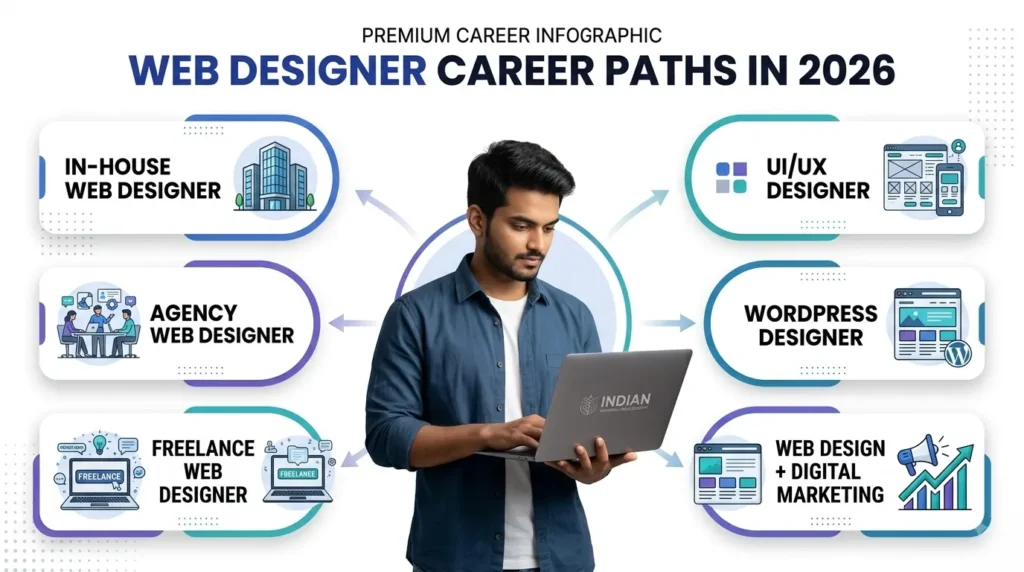
Web Design Career and Freelancing Opportunities
Professional web design training can prepare learners for several career directions.
1. In-House Web Designer
Work directly for a company and help maintain or create its websites and digital experiences.
2. Agency Web Designer
Work on websites for multiple clients across different industries.
3. Freelance Web Designer
Work independently and provide website services directly to clients.
4. UI/UX Designer
Develop deeper expertise in interfaces, usability and user experience.
5. WordPress Designer
Create and customize websites using WordPress and related tools.
6. Web Design + Digital Marketing
Combine website skills with SEO, content, advertising or conversion optimization.
This combination can be particularly useful for small-business clients that want both a website and digital growth support.
Common Mistakes Self-Taught Learners Make
Self-learning isn’t inherently bad. However, beginners can face several common challenges.
No Feedback Loop
Without outside feedback, you may continue repeating the same design mistakes.
Too Many Tutorials
Watching more tutorials doesn’t necessarily mean learning more. You need to apply the information through projects.
Constantly Switching Tools
Jumping between different design applications can prevent you from becoming comfortable with any one workflow.
Focusing Only on Software
Knowing how to use Figma doesn’t automatically make someone a good designer. Design principles and problem-solving matter too.
Leaving Projects Unfinished
An unfinished project doesn’t provide much evidence of your ability. Completing projects teaches you how to deal with the final stages, revisions and testing.
Comparing Yourself With Experienced Designers
Professional designers have years of practice behind their portfolios. Focus on improving your own work rather than trying to match someone else’s experience immediately.
How to Choose the Right Web Design Training Program
Not every web design training program will provide the same value. Before enrolling, evaluate the program carefully.
1. Check the Curriculum
Look for relevant topics such as:
- UI design
- UX fundamentals
- HTML
- CSS
- Responsive design
- Figma
- WordPress
- Website projects
2. Ask About Practical Projects
Find out exactly how many projects you’ll complete. Ask whether those projects can become portfolio pieces.
3. Understand the Mentorship
Don’t just ask whether mentorship exists. Ask:
- How often can students ask questions?
- Is feedback personalized?
- Who reviews student projects?
- Is project correction included?
4. Review Student Work
Look at actual student portfolios where available. Student work can provide a better understanding of what the training produces.
5. Attend a Demo Class
A demo class can help you evaluate:
- Teaching style
- Trainer communication
- Course difficulty
- Learning environment
6. Understand Career Support
If placement or freelancing support is advertised, ask what that support actually includes.
7. Compare Total Value
Don’t compare courses based only on price. Consider: Fee + Duration + Curriculum + Projects + Mentorship + Portfolio Support + Career Guidance. The cheapest course isn’t necessarily the best value, and the most expensive course isn’t automatically the best.
Future Scope of Web Design Careers
The future of web design is likely to involve a combination of traditional design knowledge and new AI-assisted workflows.
Designers will increasingly work with tools that can accelerate:
- Ideation
- Wireframing
- Prototyping
- Layout exploration
- Content generation
- Design variations
But human judgment remains important. Designers still need to understand:
- User needs
- Business objectives
- Visual hierarchy
- Accessibility
- Branding
- Conversion
- Content structure
- User experience
For beginners entering the field in 2026, learning a single tool isn’t enough. A stronger foundation combines: Design + Web Technology + UX + Responsive Design + Business Understanding + AI Literacy. This combination can help you adapt as tools and workflows continue to change
Frequently Asked Questions
What are the benefits of web design training?
The major benefits of web design training include structured learning, expert mentorship, practical projects, personalized feedback, portfolio development, and clearer career direction. A structured program can also reduce the trial and error associated with learning completely alone.
Is professional web design training better than self-learning?
Both approaches can work. Self-learning offers flexibility and lower costs, while professional web design training can provide structure, accountability, mentorship, feedback, and guided projects. The right choice depends on your goals and learning style.
What should a professional web design course include?
Good web design training should ideally cover design fundamentals, UI/UX concepts, HTML, CSS, responsive design, a design tool such as Figma, practical website projects, and portfolio development.
What are the 7 C’s of website design?
The 7 C’s are Context, Content, Community, Customization, Communication, Connection and Commerce. They provide a framework for thinking about different aspects of a website and its user experience.
What are the benefits of becoming a web designer?
Benefits of web design training can include flexible career options, freelancing opportunities, cross-industry demand, creative work, and the ability to specialize in areas such as UI/UX, WordPress, or conversion-focused design.
Is web design still in demand in 2026?
Yes. Businesses continue to need websites and digital experiences. However, modern web designers increasingly need skills beyond visual design, including responsive design, UX, accessibility, business understanding, and AI-assisted workflows. Web design training learning Web Design in 2026: Skills, Tools & Career Opportunities can help learners develop these practical skills and adapt to modern industry requirements.
How long does professional web design training take?
The duration of web design training varies by program. A structured course may take several weeks or months depending on the curriculum, project depth, and whether coding fundamentals are included.
Is web design a good career for beginners?
Web design can be a suitable career for beginners who enjoy visual problem-solving, technology and creative work. Starting with fundamentals and building practical projects can help develop a strong foundation.
Can I become a web designer through online training?
Yes. Online training can provide access to lessons, design tools, projects and mentorship. The important factors are the quality of the curriculum, practical work, feedback and consistency of practice.
Do I need coding knowledge to become a web designer?
You don’t necessarily need previous coding experience, but basic HTML and CSS knowledge can be highly valuable. It helps designers understand how their layouts translate into working webpages.
Is a web design certificate enough to get a job?
A certificate alone does not guarantee employment. A strong portfolio, practical skills, communication ability and relevant project experience can be much more useful when demonstrating your capabilities to employers or clients.
Conclusion
Web design training can provide a structured path for people who want to turn an interest in websites into a practical skill. Self-learning remains a valid option, but professional training can offer advantages that are difficult to reproduce alone, particularly when it comes to:
- Structured learning
- Expert mentorship
- Personalized feedback
- Practical projects
- Portfolio development
- Career guidance
The most important factor isn’t simply whether you choose a course or teach yourself. It’s whether you’re building, practicing, receiving feedback and improving. If you’re serious about becoming a web designer, focus on developing skills that you can demonstrate through real projects rather than collecting certificates or watching endless tutorials. A good learning path should ultimately take you from “I know the tools” → “I can build a website” → “I can solve a design problem” → “I can show my work professionally.”
Start Your Web Design Journey With Digital Chaabi Academy
If you’re looking for professional web design training with a practical, structured approach, Digital Chaabi Academy focuses on project-based learning, mentorship, responsive design and portfolio development. Before enrolling, compare the curriculum, project work, mentorship, duration and overall value to make sure the program matches your career goals. Ready to move beyond scattered tutorials and start building real web design skills? Explore a structured learning path with Digital Chaabi Academy.