

Web designing course
Web designing course subjects typically include HTML, CSS, JavaScript, UI/UX design, responsive web design, typography, graphic design, SEO and practical website projects. A complete web designing course syllabus takes you from basic design principles to creating responsive, user-friendly websites. It’s late again, and a question came up during a DCA counseling call last week that stuck with me: “Course mein padhayenge kya exactly?” It sounds simple, but many students genuinely don’t know what’s included in a web designing course until they’re already enrolled. That’s not ideal. Before choosing a course, you should know exactly what you’re going to learn. This guide gives you a clear, practical breakdown of web designing course subjects, what each subject teaches, which tools you’ll use and how these skills fit together. By the end, you’ll have a much clearer idea of what to expect from a modern web designing course in 2026.
What Is Web Design as a Subject?
Web design as a subject covers the principles, tools and techniques used to create the visual layout, structure and user experience of a website. It combines creative design thinking with foundational coding and technology skills. At its core, web design sits at the intersection of two disciplines:
- Design — visual, creative and user-focused thinking
- Technology — structure, functionality and basic coding
A proper course teaches students both sides rather than focusing only on how a website looks. Understanding web designing course subjects helps learners see how different skills fit together. Most institutes divide web design into smaller modules instead of teaching it as one large subject. These modules gradually take students from design fundamentals to practical website creation.
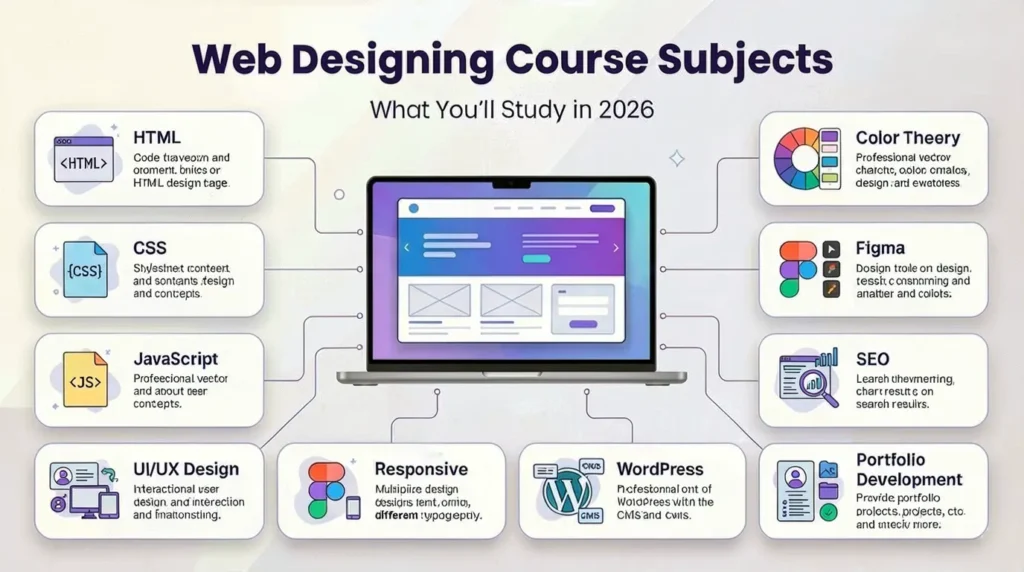
Web Designing Course Syllabus: Subjects at a Glance
A typical web designing course syllabus may include the following subjects:
| Subject | What You’ll Learn |
| HTML | Website structure and semantic elements |
| CSS | Styling, layouts and visual presentation |
| Responsive Web Design | Mobile, tablet and desktop layouts |
| JavaScript | Basic website interactivity |
| UI/UX Design | User interfaces and user experience |
| Typography | Font selection, hierarchy and readability |
| Color Theory | Color combinations and visual communication |
| Graphic Design | Supporting graphics and visual assets |
| Figma | Wireframes, prototypes and interface design |
| WordPress | CMS-based website creation |
| SEO Basics | Search-friendly website practices |
| Portfolio Development | Presenting practical projects |
The exact syllabus can vary depending on the institute, course duration and level. Short certificate courses may focus primarily on HTML, CSS and design fundamentals, while longer programs may include JavaScript, CMS platforms, UI/UX and basic backend concepts.
Core Web Designing Course Subjects
Regardless of the institute, most web designing course subjects follow a fairly consistent structure.
1. HTML
HTML provides the basic structure of a webpage. You’ll typically learn:
- HTML elements and tags
- Headings and paragraphs
- Links and images
- Lists and tables
- Forms
- Semantic HTML
- Basic page structure
HTML is one of the first technical subjects students encounter because it provides the foundation for building webpages.
2. CSS
CSS controls how a webpage looks and how its elements are arranged. Common CSS topics include:
- Colors and backgrounds
- Fonts and typography
- Margins and padding
- Borders
- Flexbox
- CSS Grid
- Responsive layouts
- Animations
- Media queries
CSS is particularly important because good web design requires more than simply placing content on a page.
3. JavaScript Basics
JavaScript introduces interactivity and dynamic behavior. A beginner-level course may cover:
- Variables
- Functions
- Events
- Basic conditions
- DOM manipulation
- Interactive elements
- Simple form interactions
Students don’t necessarily need advanced JavaScript to begin web design, but understanding the fundamentals can significantly improve their ability to create functional websites. These skills are also important among web designing course subjects, especially for learners who want to build practical and interactive websites.
4. UI/UX Design
UI/UX has become an important part of modern web design. You’ll learn concepts such as:
- User interface design
- User experience
- Wireframing
- Prototyping
- User research basics
- Usability
- Accessibility
- Interaction design
5. Responsive Web Design
Responsive design ensures that websites work properly across different screen sizes. It is one of the important web designing course subjects, where students learn how to create layouts that adapt to:
- Desktop computers
- Laptops
- Tablets
- Smartphones
Responsive design is an essential skill because users access websites from many different devices.
6. Typography and Color Theory
These subjects provide the visual foundation of web design. Typography covers:
- Font selection
- Font pairing
- Font sizes
- Line height
- Readability
- Visual hierarchy
Color theory covers:
- Color combinations
- Contrast
- Brand colors
- Color psychology
- Accessibility considerations
7. Graphic Design Tools
Web designing courses often introduce tools used for creating interface designs and supporting visual assets. These tools are commonly covered as part of web designing course subjects and may include:
- Figma
- Adobe XD
- Other graphic design software
8. Basic SEO
Basic SEO helps designers understand how website design can support search visibility. It is also an important part of web designing course subjects, where students may learn about:
- Search-friendly website structure
- Page titles
- Headings
- Image optimization
- Basic on-page SEO
- User experience and performance awareness
9. Portfolio Development
A portfolio allows students to demonstrate what they can actually create. It is an important outcome of web designing course subjects, helping students showcase practical skills instead of only collecting certificates. Students can showcase:
- Landing pages
- Business websites
- UI designs
- Responsive webpages
- WordPress projects
- Other practical work
What Are the 7 Steps to Web Design?
The seven common steps of a web design workflow are:
- Purpose definition — understanding what the website needs to achieve
- Site structure planning — organizing pages and navigation
- Wireframing — creating rough layout sketches
- Visual design — applying colors, typography and imagery
- Content creation — preparing text, images and media
- Development — converting the design into a working webpage
- Testing and launch — checking functionality and layouts before launch
These steps describe the overall web design workflow, while individual web designing course subjects teach the skills required to complete each stage. The exact order can vary depending on the project and course, but understanding the workflow helps students see how separate subjects connect to real-world website projects.
Design Theory and Visual Subjects
Before focusing heavily on code, students need to understand why certain designs work. Important design subjects include:
Visual Hierarchy
Visual hierarchy determines which information users notice first, second and third.
Color Theory
Students learn how colors work together and how color choices influence a website’s visual communication.
Typography
Typography focuses on font selection, readability, spacing and hierarchy.
Layout Principles
Students learn about:
- Grids
- Alignment
- Spacing
- Balance
- Composition
Basic Graphic Design
Graphic design skills help students create supporting visual assets and maintain visual consistency throughout a website. These skills are important among web designing course subjects, covering much of the creative side of web design while remaining based on practical design principles rather than simply personal taste.
Technical Subjects in a Web Designing Course
A comprehensive web designing course syllabus may include several technical subjects.
HTML
Semantic tags, page structure, links, images and forms.
CSS
Flexbox, Grid, responsive breakpoints, layouts and basic animations.
JavaScript Fundamentals
DOM manipulation, events and basic interactivity.
Version Control Basics
Some comprehensive courses introduce Git and basic version-control concepts.
CMS Platforms
WordPress is commonly introduced because it allows students to create and manage websites without building every feature from scratch.
Basic Backend Awareness
Students may also learn how forms submit information, what servers do, and how frontend and backend components interact. These concepts can be included in web designing course subjects, although not every course covers them to the same depth. Short programs may focus on HTML, CSS, and basic design, while longer programs can go further into JavaScript, CMS platforms, and backend concepts.
What Are the 7 C’s of Website Design?
The 7 C’s of website design are Context, Content, Community, Customization, Communication, Connection, and Commerce. These concepts can be covered within web designing course subjects and provide a strategic framework for thinking about how websites serve users and businesses.
Context
The website’s overall visual style, structure and first impression.
Content
The information and media presented to users.
Community
Features that encourage interaction, such as comments, reviews or discussions.
Customization
Personalizing parts of the experience for individual users where appropriate.
Communication
How the website communicates information and responds to users.
Connection
Integration with other platforms, services or channels.
Commerce
Features that support transactions when the website is used for business or e-commerce are also covered in relevant web designing course subjects. The framework encourages students to think beyond appearance and consider whether a website actually serves its users and business purpose.
UI/UX as a Core Subject
UI/UX design has become one of the most important areas of modern web design. A website can look attractive but still provide a poor experience if users cannot understand the navigation, find information, or complete important actions. UI/UX design is therefore an important part of web designing course subjects, and a UI/UX module may cover:
- Wireframing
- Prototyping
- User research basics
- Usability testing
- Accessibility
- Interaction design
- Navigation
- User flows
Treating UI/UX as a serious subject helps students understand not only how a website looks, but also how and why people use it. This makes UI/UX an important part of web designing course subjects for developing practical, user-focused web design skills.
Digital Chaabi Academy Insights
At Digital Chaabi Academy, we structure our web designing course subjects to avoid a common problem: teaching tools without teaching the thinking behind them. Students don’t just learn how to use Figma. They learn why particular layout, spacing, hierarchy, and interaction decisions work through practical, client-style briefs. We also emphasize the relationship between UI/UX, SEO, and business goals. A website shouldn’t simply look attractive in a design file. It should provide a useful experience and support the purpose of the business. Our curriculum combines core web designing course subjects with practical projects and digital marketing awareness so students can better understand the needs of real clients.
Is Web Designing Difficult?
Web designing is approachable for beginners, particularly when starting with subjects such as HTML, CSS, and basic design theory. However, consistent practice is important. The difficulty gradually increases as students move into advanced web designing course subjects, including:
- Advanced responsive layouts
- More complex CSS
- JavaScript
- UI/UX strategy
- Accessibility
- Performance considerations
Many beginners find CSS layout systems and JavaScript more challenging than visual design because they require a more logical and structured approach. The good news is that students don’t need to master everything at once. Learning web designing course subjects progressively and building projects along the way makes the process much easier.
Web Designing Course Tools You’ll Learn
Most courses combine theoretical subjects with practical tools.
Figma
Used for:
- UI design
- Wireframing
- Prototyping
- Interface layouts
VS Code
Used for:
- HTML
- CSS
- JavaScript
- Website development practice
WordPress
Used for:
- CMS-based websites
- Content management
- Business websites
Google Fonts and Coolors
Useful for typography and color selection.
Browser DevTools
Useful for:
- Testing
- Debugging
- Inspecting webpage elements
- Checking responsive layouts. The specific tools can vary between institutes, but learning the underlying design principles is more important than becoming dependent on a single software product.
Common Mistakes When Choosing Subjects to Focus On
Rushing Through Design Theory
Skipping visual fundamentals can result in websites that technically work but look unpolished.
Ignoring SEO
Basic SEO knowledge can increase the practical value of a web designer’s skills, particularly when working with business clients.
Avoiding JavaScript
JavaScript may feel difficult initially, but even basic knowledge can improve your ability to create interactive webpages.
Treating UI/UX as an Optional Topic
User experience should not be treated as an afterthought. Understanding users is an important part of modern web design.
Focusing Only on Tools
Knowing how to use Figma or another design tool is useful, but tool knowledge alone doesn’t make someone a strong designer. The goal should be to learn principles + tools + practical application.
How Web Designing Course Subjects Build Your Skills
A logical learning progression can make web designing course subjects easier to understand and help students build their skills step by step.
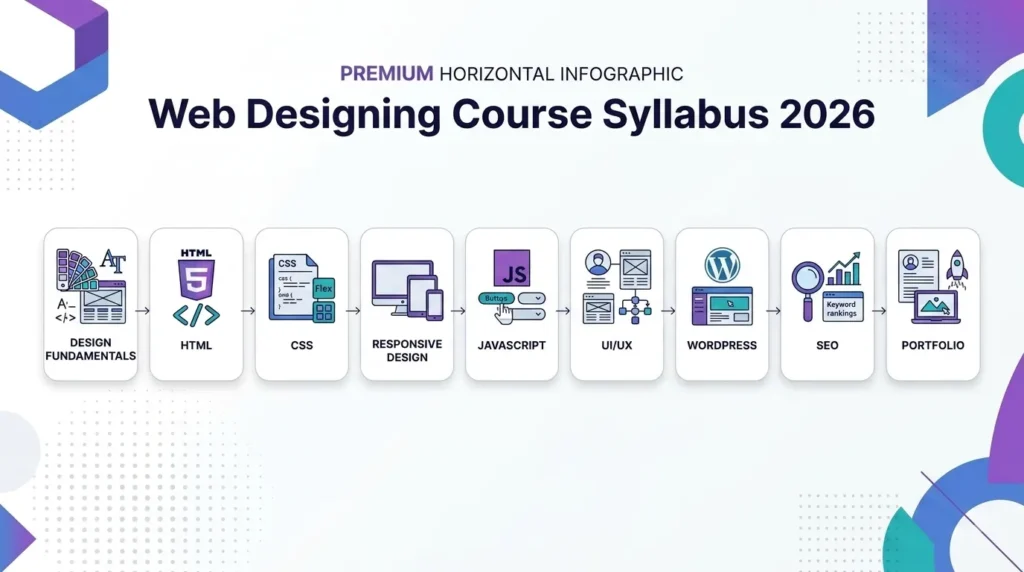
Step 1: Learn Design Fundamentals
Start with typography, color, layout, hierarchy and visual principles.
Step 2: Learn HTML
Turn design concepts into structured webpage content.
Step 3: Learn CSS
Control styling, layouts and responsive presentation.
Step 4: Learn Responsive Design
Make websites work across different devices and screen sizes.
Step 5: Learn JavaScript Basics
Add interactivity and dynamic behavior.
Step 6: Develop UI/UX Skills
Learn how to design around user needs, usability and interaction.
Step 7: Learn SEO and CMS Concepts
Understand how websites can be made more search-friendly and managed through platforms such as WordPress.
Step 8: Build Your Portfolio
Combine your skills into practical projects that demonstrate what you can actually do.
The exact order may vary between courses, but learning these areas progressively can make the overall curriculum easier to understand.
Future-Ready Subjects in Web Designing Courses in 2026
Web design is changing, and modern courses are increasingly introducing web designing course subjects beyond traditional HTML, CSS, and visual design.
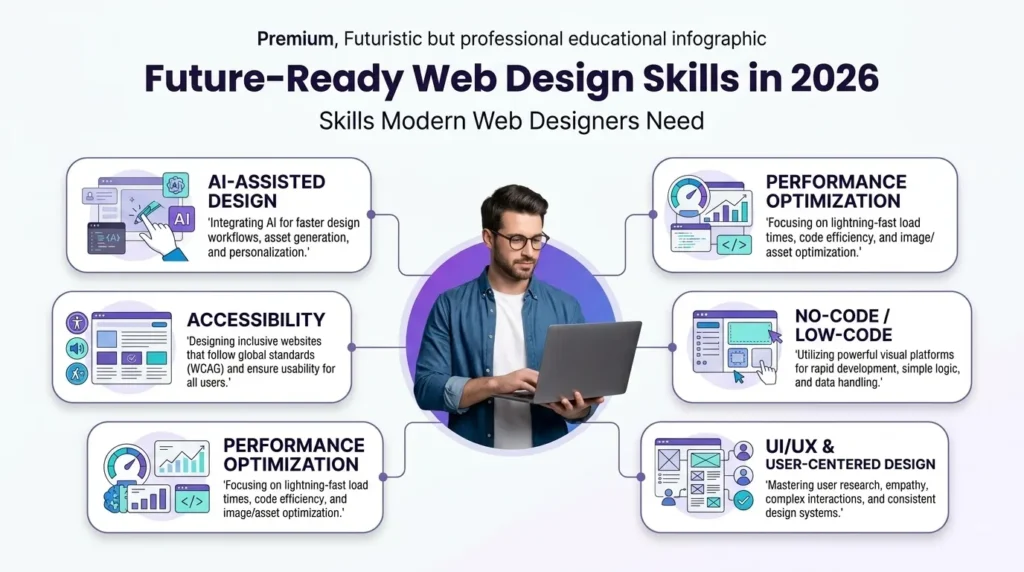
AI-Assisted Design
AI tools can help with:
- Ideation
- Layout exploration
- Prototyping
- Content assistance
- Faster design iterations
However, AI does not replace the need for design fundamentals, accessibility knowledge or user-centered thinking.
Accessibility
Modern designers need to understand how websites can be made usable for people with different abilities.
Performance Optimization
Basic performance awareness can include:
No-Code and Low-Code Platforms
Platforms such as Webflow and other visual website builders are becoming useful additions to traditional coding skills. For further reference on web standards and search-related best practices, resources such as Google Search Central and W3C can be useful.
Frequently Asked Questions
What is the web design subject?
Web design as a subject covers the principles, tools, and techniques used to create a website’s visual layout, structure, and user experience. These areas form the foundation of web designing course subjects, combining creative design thinking with foundational technical knowledge.
What are the 7 steps to web design?
The seven steps are purpose definition, site structure planning, wireframing, visual design, content creation, development, and testing before launch.
What are the 7 C’s of website design?
The 7 C’s are Context, Content, Community, Customization, Communication, Connection and Commerce.
Is web designing difficult?
Web designing is approachable at a beginner level, especially when starting with HTML, CSS, and basic design theory. More advanced web designing course subjects, such as UI/UX, responsive design, and JavaScript, require additional practice.
What subjects are included in a web designing course?
Core subjects typically include HTML, CSS, JavaScript basics, UI/UX design, responsive design, typography, graphic design, SEO and portfolio development.
What is the syllabus of a web designing course?
A typical syllabus can include design fundamentals, HTML, CSS, responsive web design, JavaScript basics, UI/UX, graphic design tools, WordPress, basic SEO and portfolio development. The exact syllabus varies by institute and course duration.
Which subjects are important in web designing?
HTML, CSS, responsive design, UI/UX, typography, color theory and basic JavaScript are important foundational subjects. SEO, CMS platforms and portfolio development can further improve practical skills.
Does a web designing course include coding?
Yes. Most web designing courses include at least HTML and CSS, while many also introduce basic JavaScript. The depth of coding depends on the course.
Which software is used in web designing courses?
Common tools include Figma, VS Code, WordPress, browser Developer Tools and supporting resources such as Google Fonts and color-selection tools.
Can I learn web designing without a coding background?
Yes. Beginners can start web design without previous coding experience. A structured course can introduce HTML, CSS and other technical concepts gradually alongside design fundamentals.
Conclusion
Web designing course subjects are not just a random collection of topics. Together, they build a practical skill set that combines visual design, technical knowledge, user experience and website performance. A typical learning journey can move from design fundamentals to HTML and CSS, responsive design, JavaScript, UI/UX, SEO, CMS platforms and portfolio development. Before enrolling in a course, look beyond the course name. Check exactly which subjects are included, how much practical work is provided, which tools you’ll learn and whether you’ll have real projects to add to your portfolio. Whether you’re evaluating a course or already learning web design, understanding the role of each subject can make your learning journey much more focused and intentional.